A day in the life of an Optimizely OMVP: Getting Up to Speed with Optimizely CMS 13 — A Free Learning Path
If you're working with Optimizely and haven't started exploring CMS 13 yet, now's the time. I've put together a dedicated CMS 13 course within the Optimizely Learning Centre that walks through the major changes — from beginner concepts right through to advanced migration guidance.
Graham Carr
Author
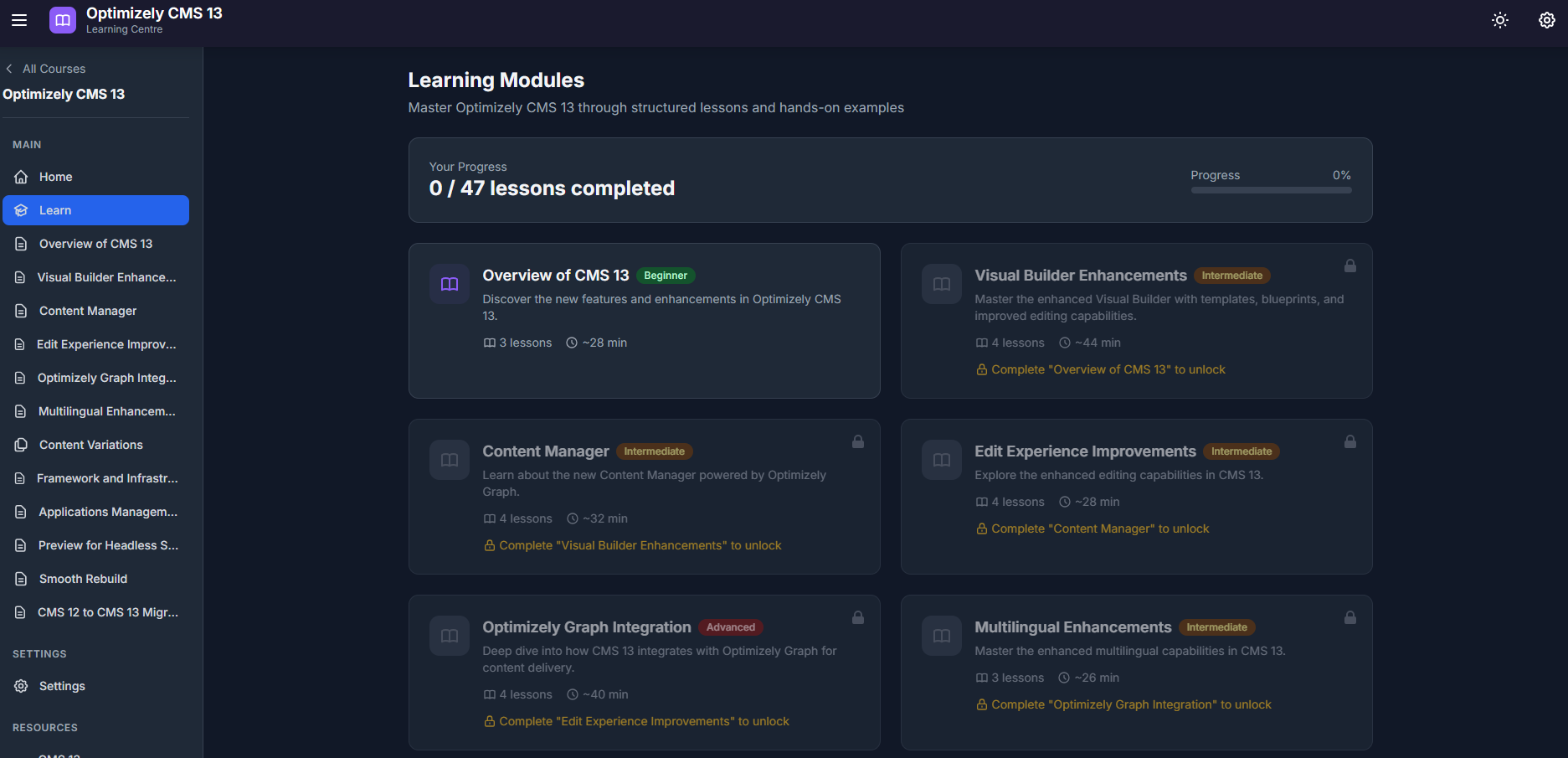
If you're working with Optimizely and haven't started exploring CMS 13 yet, now's the time. I've put together a dedicated CMS 13 course within the Optimizely Learning Centre that walks through the major changes — from beginner concepts right through to advanced migration guidance.
The course is structured as 14 modules with a progressive unlock system, so each topic builds on the last. It starts with a high-level overview of what's new in CMS 13, then moves into the areas that will matter most to developers and architects working with the platform day-to-day.
A few of the modules I'd highlight:
Visual Builder Enhancements covers the updated Visual Builder, including templates, blueprints, and the improved editing capabilities. This is one of the headline features of CMS 13 and the module goes into practical detail on what's changed.
Content Manager introduces the new content management experience powered by Optimizely Graph. This is a significant shift in how content is surfaced and managed within the CMS.
Applications Management is one that caught a few people off guard — CMS 13 replaces the familiar SiteDefinition model with a new Application concept. This module explains what that means and how to work with it.
Framework and Infrastructure digs into the .NET 10 upgrade and the broader infrastructure changes underpinning CMS 13. Essential reading if you're responsible for builds, deployments, or hosting.
Preview for Headless Sites and Smooth Rebuild cover two increasingly important scenarios — configuring preview for decoupled frontend applications and managing Graph source rebuilds with zero downtime using deployment slots.
The course wraps up with a comprehensive CMS 12 to CMS 13 Migration module. At six lessons and roughly an hour of content, it's the most substantial module in the course and walks through the upgrade path in detail.
In total there are around seven and a half hours of structured content across beginner, intermediate, and advanced levels. It's all free and interactive.
You can access the CMS 13 course here: optilearningcentre.adayinthelife.pro/courses/cms13
The Optimizely Learning Centre is an open-source project. If you'd like to contribute or suggest improvements, we'd love to hear from you.